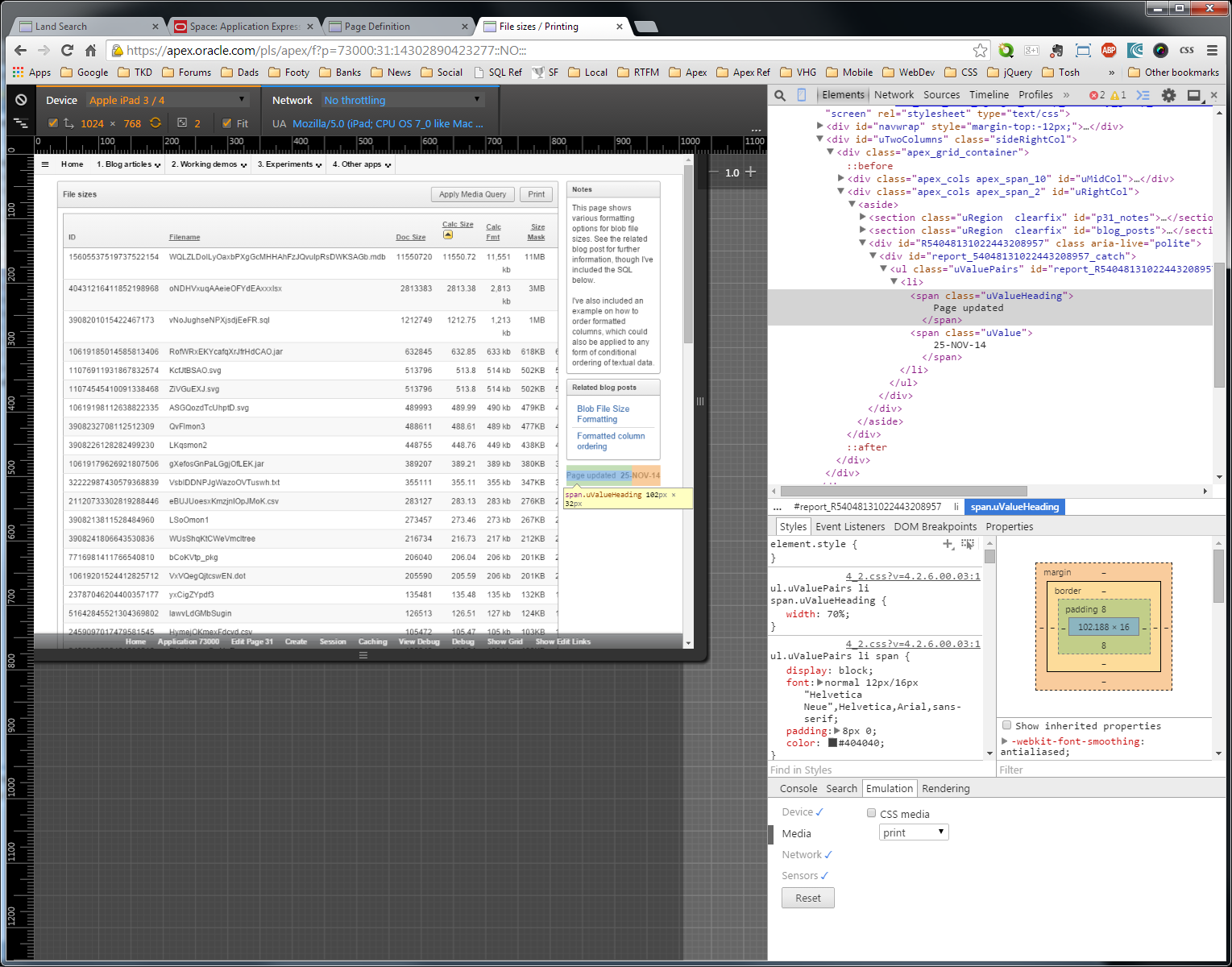
Open up the browser tools, I use F12. I spend a fair it of time in the Elements + Console tabs of these tools.
Then find the relevant icon, that will no doubt change location in future. Ctrl+Shift+M does the trick when the browser tools are open.
This mode allows you to change the type (size) of the device you're emulating; the orientation; and the network speed. Even the cursor changes to a shaded circle, to more closely simulate a (thicker) finger press.
 |
| Second icon from the left - follow the blue arrow |
If you open your APEX login page when the emulator is already turned on, the user_agent will be spoofed accordingly. You could use Christian Rokitta's adaptation of categorizr to determine if you are on a 4" device, and populate an application item. That way, if certain regions don't fold well into small devices, you could conditionally replace them with more appropriate regions.
For example, I had a badge list of 5 values that didn't squeeze well into 4 inches, so I replaced it with a simpler value attribute pair region when my IS_MOBILE application item was set.
Note: don't forget to use declarative conditions where you can.
The 5.0 Universal Theme actually does a good job rendering regions responsively. Issues usually arise when there's simply too many columns to fit. I'm very much looking forward to the 5.1 OracleJET charts cathing up to to the touch behaviour. AnyChart prior to HTML5 doesn't adjust well.
Also available is the ability to throttle the connection. No doubt you have a pretty fine connection where you're developing, but the users on devices out in the field might not have the best connection. This setting allows you check your application's behaviour as if it were on a slower connection, highlighting any asynchronous issues, or lag that affects the user experience.
Nothing is ever the same as the real thing, so while it's a practical unit testing tool, you should still thrash out mission critical devices on the real McKoy.
I hear whispers that APEX 5.2 is going to potentially shake up the User Interfaces a little, with the removal of the jQuery Mobile User Interface. Perhaps there will be accommodations here to help our applications transition between screens, without needing dedicated pages?
I haven't seen any of the sessions delivered by the Oracle team talking up 5.2, so I'll have to wait and see.
Update - I wrote this last paragraph a while back, though I don't think the early adopter covers any changes in this regard.